---
title: Tag All Mechanical
description: This tool allows you to create annotation tags for Mechanical families. There are three tools in one, Tag All Mechanical, Tag Mechanical Equipment, and Tag Duct Fittings.
---
[Skip to content](https://support.kitchautomation.com/migration/knowledge/tagmechanical#main-content)
English
Show submenu for translations
![Block K\_Large-1.png\]](https://support.kitchautomation.com/hs-fs/hubfs/Block%20K_Large-1.png?height=40&name=Block%20K_Large-1.png)
- [Default HubSpot Blog](https://academy.kitchautomation.com/how-to)
Open main navigation
Close main navigation
- [Default HubSpot Blog](https://academy.kitchautomation.com/how-to)
- English
Show submenu for translations
- Contact us
Contact us
Have a question? Search our Knowledge Base...
- There are no suggestions because the search field is empty.
1. [Kitchautomation Knowledge Base](https://support.kitchautomation.com/migration/knowledge?hsLang=en)
2. [User Manuals](https://support.kitchautomation.com/migration/knowledge/user-manuals?hsLang=en)
# Tag All Mechanical
## This tool allows you to create annotation tags for Mechanical families. There are three tools in one, Tag All Mechanical, Tag Mechanical Equipment, and Tag Duct Fittings.
### Table of Contents
1. [Video User Manual](https://support.kitchautomation.com/migration/knowledge/tagmechanical#video-user-manual)
2. [Setting Up Mechanical Tags](https://support.kitchautomation.com/migration/knowledge/tagmechanical#setting-up-mechanical-tags)
3. [Using the Tag Mechanical tool](https://support.kitchautomation.com/migration/knowledge/tagmechanical#using-the-tag-mechanical-tool)
### 1. Video User Manual
### 2. Setting Up Mechanical Tags
The Tag Mechanical tool requires annotation tag families to be specified in Settings for each tag.

Click on the Settings button.
Once the Settings window opens go to the Annotation Tags tab.
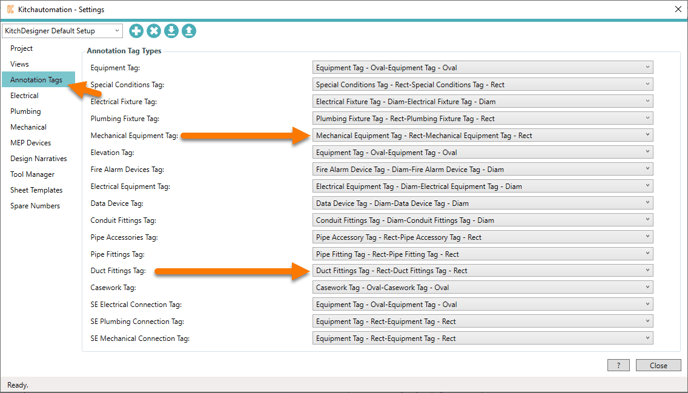
The following tags can be added using the Tag Mechanical set of tools:
- Tag Mechanical Equipment
- Tag Duct Fittings
If a tag family is not specified, those tags will be skipped.
### 3. Using the Tag Mechanical tool
The Tag Mechanical set of tools works by analyzing each Specialty Equipment family’s orientation to locate the front and back.
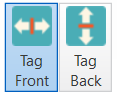On the far right of the KitchDesigner tool ribbon are the Tag Front and Tag Back toggle buttons.
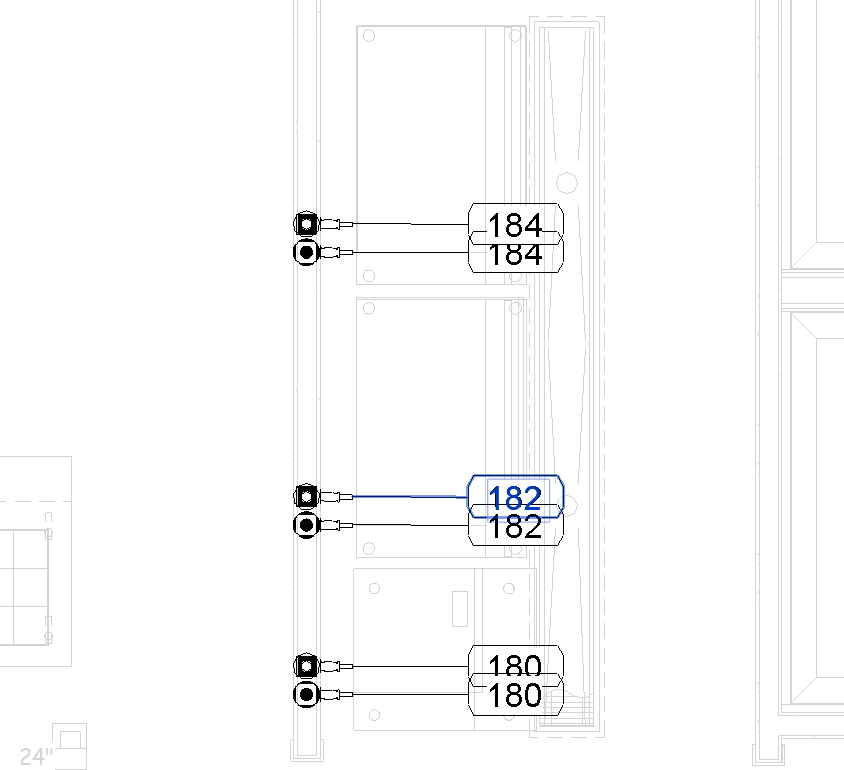
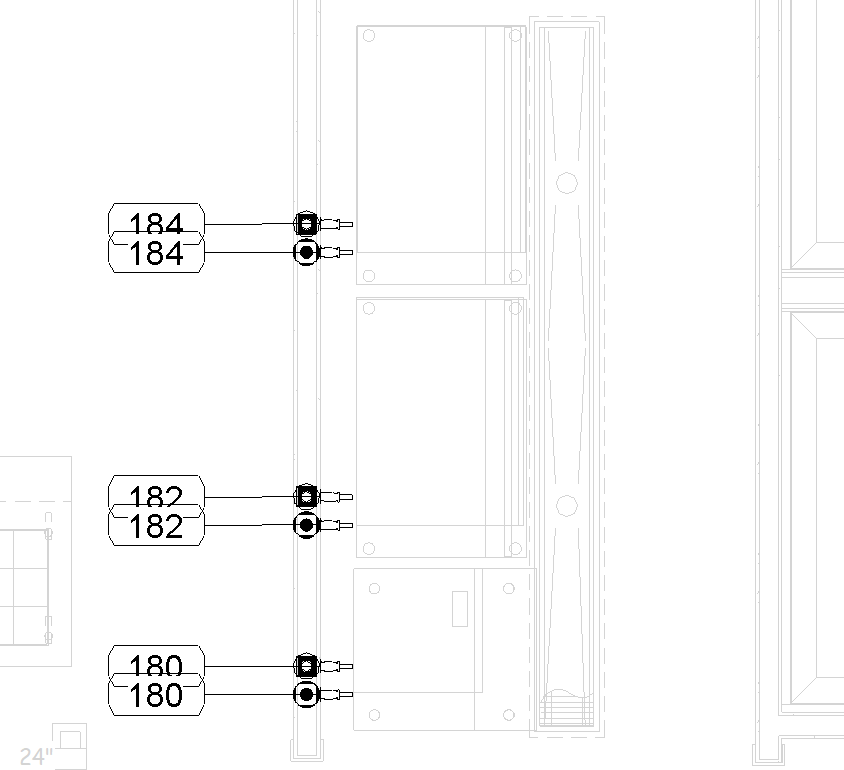
The Tag Mechanical set of tools will place the annotation tags at the front or back of the equipment depending on which button is active, Tag Front or Tag Back.
The Tag Mechanical set of tools will only create annotation tags for the active Revit view.
It is also possible to only tag the selected families. When no families are selected, all families in the view will receive tags.
All tag tools check for existing tags and will not duplicate tags, so if you add mechanical rough-ins you can use the Tag Mechanical tools repetitively.
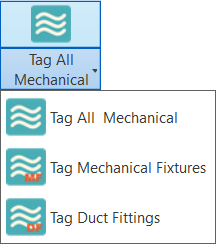
Once you have the correct view open and active, press one of the Tag Mechanical tools.
All tag tools must have an annotation tag specified in Settings otherwise the tags will not be placed. For example, the Tag Duct Fittings tool must have a Duct Fittings tag specified.
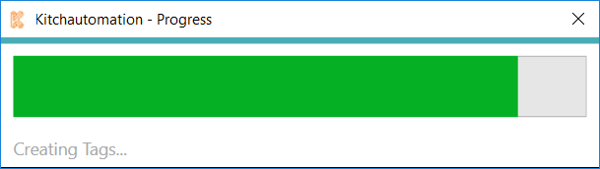
A Progress Bar will pop up to show the completion progress.
The Tag All Mechanical tool will create tags for all mechanical families that have a tag specified in Settings. If only some of the tags are specified, those tags will still be placed and only the others will be skipped.
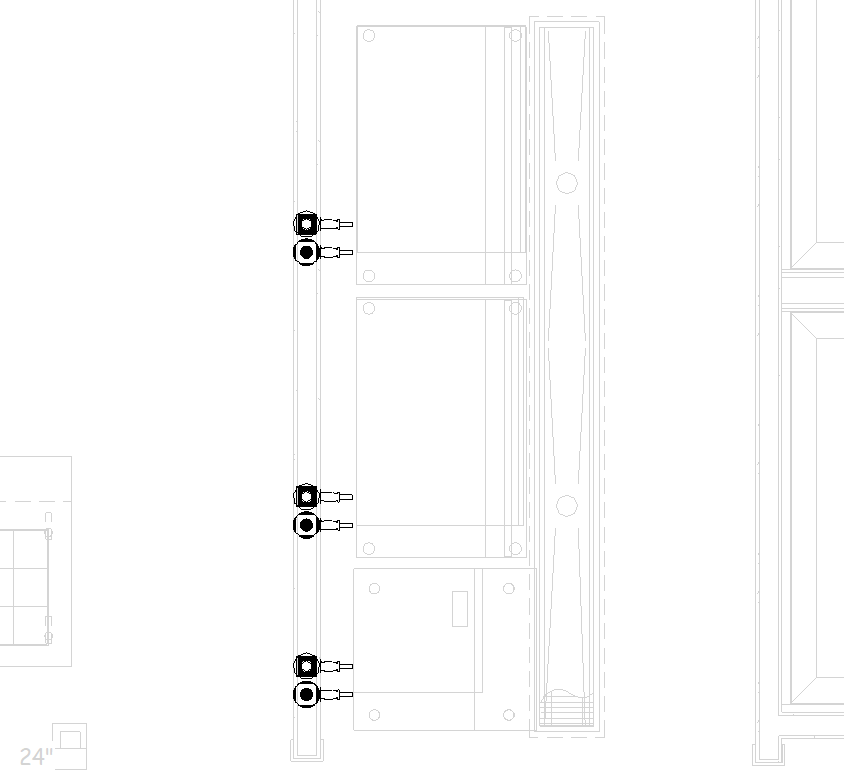
#### Before:
#### Tag Front:
#### Tag Back:
[Back to Top](https://support.kitchautomation.com/migration/knowledge/tagmechanical#table-of-contents)
- [User Manuals](https://support.kitchautomation.com/migration/knowledge/user-manuals?hsLang=en#main-content)
- [KitchCreator](https://support.kitchautomation.com/migration/knowledge/user-manuals?hsLang=en#kitchcreator)
- [Settings](https://support.kitchautomation.com/migration/knowledge/user-manuals?hsLang=en#settings)
- [FAQ](https://support.kitchautomation.com/migration/knowledge/faq?hsLang=en)
- [Revit Tips](https://support.kitchautomation.com/migration/knowledge/revit-tips?hsLang=en)
- [Default HubSpot Blog](https://academy.kitchautomation.com/how-to)
[](https://support.kitchautomation.com/knowledge?hsLang=en)
Kitchautomation - Design More | Draft Less
Copyright © 2026, Kitchautomation, LLC